使用Python统计华为和H3C的设备光模块以及SN(二)
前言 因为上次写的脚本,需要先将交换机输出的信息先保存至文件中,再使用正则表达式处理文本输出到表格中,能不能直接就将交换机输出的信息处理到表格,答案肯定是可以的,而且上次的脚本H3C设备没有模块SN的信息,也是一个漏洞,接下来,让我们来改进一下(当然,还是使用AI生成)
前期准备
Python 第三方库
netmiko 连接交换机
re 正则表达式
pandas 处理表格
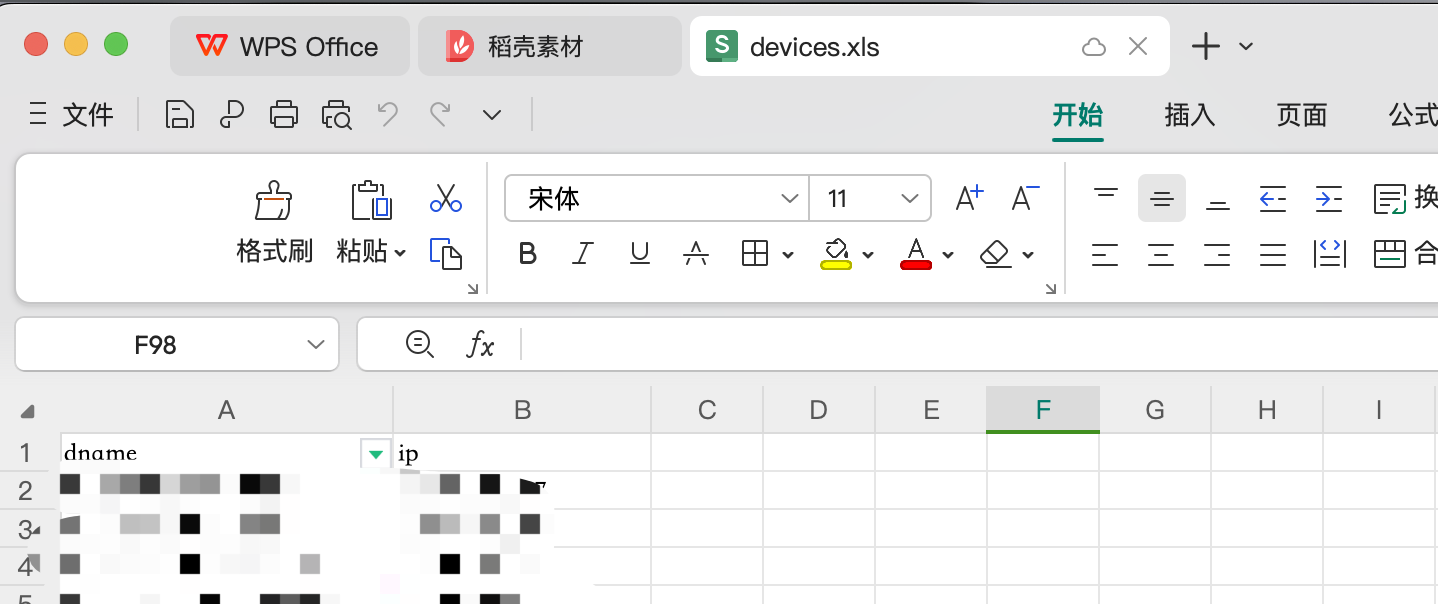
Excel文件,放设备信息,需要两列,dname一列,ip一列
华为 1 2 3 4 5 6 7 8 9 10 11 12 13 14 15 16 17 18 19 20 21 22 23 24 25 26 27 28 29 30 31 32 33 34 35 36 37 38 39 40 41 42 43 44 45 46 47 48 49 50 51 52 53 54 55 56 57 58 59 60 61 62 63 64 65 66 67 68 69 70 71 72 73 74 75 76 77 78 79 80 81 82 import pandas as pdfrom netmiko import ConnectHandlerimport redevice_info = pd.read_excel('devices.xls' ) results = {} for index, row in device_info.iterrows(): device = { 'device_type' : 'huawei' , 'ip' : row['ip' ], 'username' : 'username' , 'password' : 'password' , 'port' : 22 , 'timeout' : 30 , 'global_delay_factor' : 3 , 'fast_cli' : False , 'session_log' : 'netmiko_session.log' } try : client = ConnectHandler(**device) client.send_command("screen-length 0 temporary" ) sn_command = 'dis device manufacture-info' sn_output = client.send_command(sn_command) sn_match = re.search(r'(\d+)\s+-\s+(\S+)' , sn_output) device_sn = sn_match.group(2 ) if sn_match else '未找到序列号' port_command = 'dis transceiver' port_output = client.send_command(port_command, delay_factor=3 ) port_lines = port_output.splitlines() port_info_list = [] current_port = None for line in port_lines: if "transceiver information" in line: if current_port is not None : port_info_list.append(current_port) current_port = {'Port' : line.split()[0 ]} elif "Transceiver Type" in line: current_port['Transceiver Type' ] = line.split(":" )[1 ].strip() elif "Vendor Name" in line: current_port['Vendor Name' ] = line.split(":" )[1 ].strip() elif "Manu. Serial Number" in line: current_port['Manu. Serial Number' ] = line.split(":" )[1 ].strip() elif "Transfer Distance(m)" in line: current_port['Transfer Distance(m)' ] = line.split(":" )[1 ].strip() if current_port is not None : port_info_list.append(current_port) results[row['dname' ]] = { 'Device Serial Number' : device_sn, 'Port Info' : pd.DataFrame(port_info_list) } except Exception as e: print (f"连接到 {row['dname' ]} ({row['ip' ]} ) 时出错: {e} " ) finally : if 'client' in locals (): client.disconnect() with pd.ExcelWriter('device_info_results.xlsx' ) as writer: for device_name, data in results.items(): data['Port Info' ].to_excel(writer, sheet_name=device_name, index=False ) print ("设备信息已保存至 Excel 文件。" )
H3C
华三的脚本是先采集端口模块的信息,再读取port信息为变量,采集模块SN
1 2 3 4 5 6 7 8 9 10 11 12 13 14 15 16 17 18 19 20 21 22 23 24 25 26 27 28 29 30 31 32 33 34 35 36 37 38 39 40 41 42 43 44 45 46 47 48 49 50 51 52 53 54 55 56 57 58 59 60 61 62 63 64 65 66 67 68 69 70 71 72 73 74 75 76 77 78 79 80 81 82 83 84 85 86 87 import pandas as pdfrom netmiko import ConnectHandlerdevice_info = pd.read_excel('devices_h3c.xls' ) results = {} for index, row in device_info.iterrows(): device = { 'device_type' : 'hp_comware' , 'username' : 'username' , 'password' : 'password' , 'ip' : row['ip' ], 'port' : 22 , 'timeout' : 30 , 'global_delay_factor' : 2 , 'fast_cli' : False , 'session_log' : 'netmiko_session.log' } try : client = ConnectHandler(**device) client.send_command("screen-length disable" ) port_command = 'dis transceiver interface' port_output = client.send_command(port_command) port_lines = port_output.splitlines() port_info_list = [] current_port = None for line in port_lines: if "transceiver information" in line: if current_port is not None : port_info_list.append(current_port) current_port = {'Port' : line.split()[0 ]} elif "Transceiver Type" in line: current_port['Transceiver Type' ] = line.split(":" )[1 ].strip() elif "Connector Type" in line: current_port['Connector Type' ] = line.split(":" )[1 ].strip() elif "Wavelength(nm)" in line: current_port['Wavelength(nm)' ] = line.split(":" )[1 ].strip() elif "Transfer Distance(m)" in line: current_port['Transfer Distance(m)' ] = line.split(":" )[1 ].strip() elif "Transfer Distance(km)" in line: current_port['Transfer Distance(km)' ] = line.split(":" )[1 ].strip() elif "Vendor Name" in line: current_port['Vendor Name' ] = line.split(":" )[1 ].strip() elif "Ordering Name" in line: current_port['Ordering Name' ] = line.split(":" )[1 ].strip() if current_port is not None : port_info_list.append(current_port) for port in port_info_list: if 'Transceiver Type' in port: sn_command = f'dis transceiver manuinfo interface {port["Port" ]} ' sn_output = client.send_command(sn_command) port['Manufacture Info' ] = sn_output results[row['dname' ]] = pd.DataFrame(port_info_list) except Exception as e: print (f"连接到 {row['dname' ]} ({row['ip' ]} ) 时出错: {e} " ) finally : if 'client' in locals (): client.disconnect() with pd.ExcelWriter('h3c_device_info_results.xlsx' ) as writer: for device_name, df in results.items(): df.to_excel(writer, sheet_name=device_name, index=False ) print ("H3C交换机模块信息及SN已保存至 Excel 文件。" )
效果 华为
每一个交换机,单独一个sheet
H3C
和上面的逻辑一样,只不过H3C的会采集出来空端口